
ElevenLabs text-to-speech
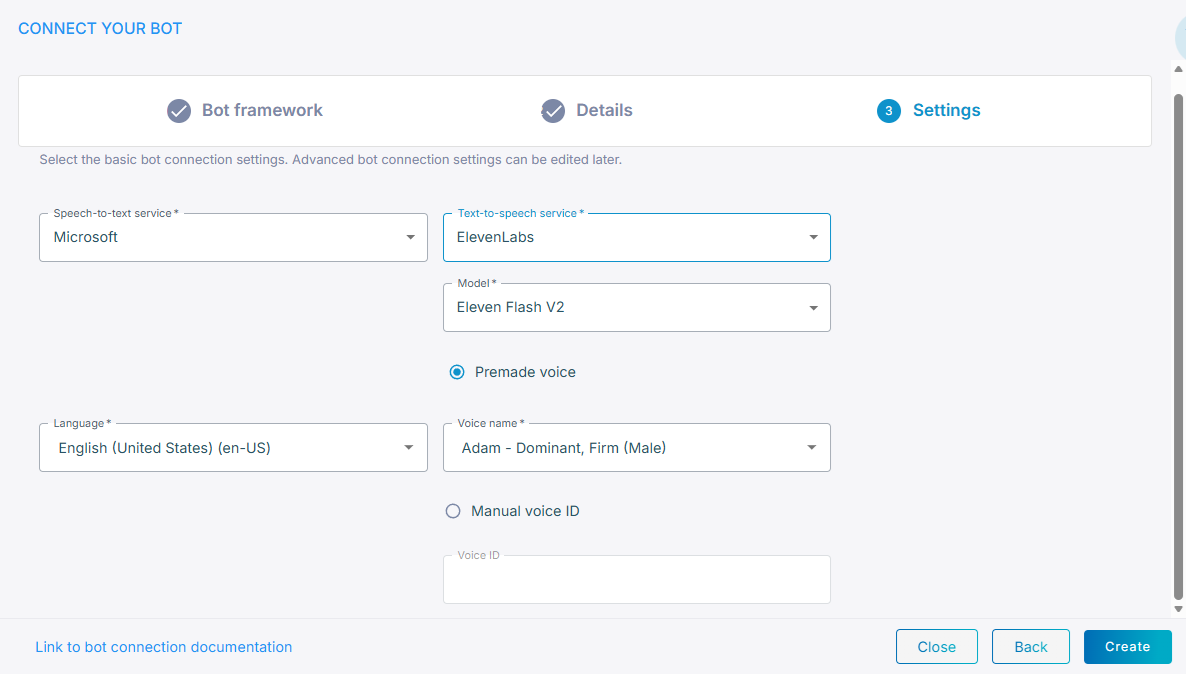
ElevenLabs is one of the text-to-speech services you can select for a bot connection, while creating the connection or later on its Settings tab.
To use ElevenLabs for text-to-speech:
-
From the 'Text-to-speech provider' drop-down list, select ElevenLabs.
-
From the 'Model' drop-down list, select the model.
-
Identify the voice in one of the following ways:
- Select a voice: Enter the 'Voice name' provided by ElevenLabs.
- Manual voice ID: Enter the 'Voice ID' you created.
-
Click Create.
Advanced parameters
For the advanced configuration parameters ElevenLabs accepts, see ElevenLabs speech provider.